
See exactly where your connection slows down.
Jimping is a ping plotter and continuous traceroute for Windows. It watches every hop between you and a host, flags the one that adds the delay, and keeps a history you can play back later.
What it does
One small exe, dark by default, starts instantly. Everything runs locally on your PC.
Every hop, every second
Continuous traceroute with loss, latency and jitter per hop, and a 10 minute heatmap that shows where and when trouble starts.
Finds the slow link
Added latency shows how much each hop adds. Routers that are only slow to answer pings are recognized, so they are not blamed.
Route change detection
Re-traces the path on a schedule you choose and logs every change, with sound and taskbar alerts.
Watch lists
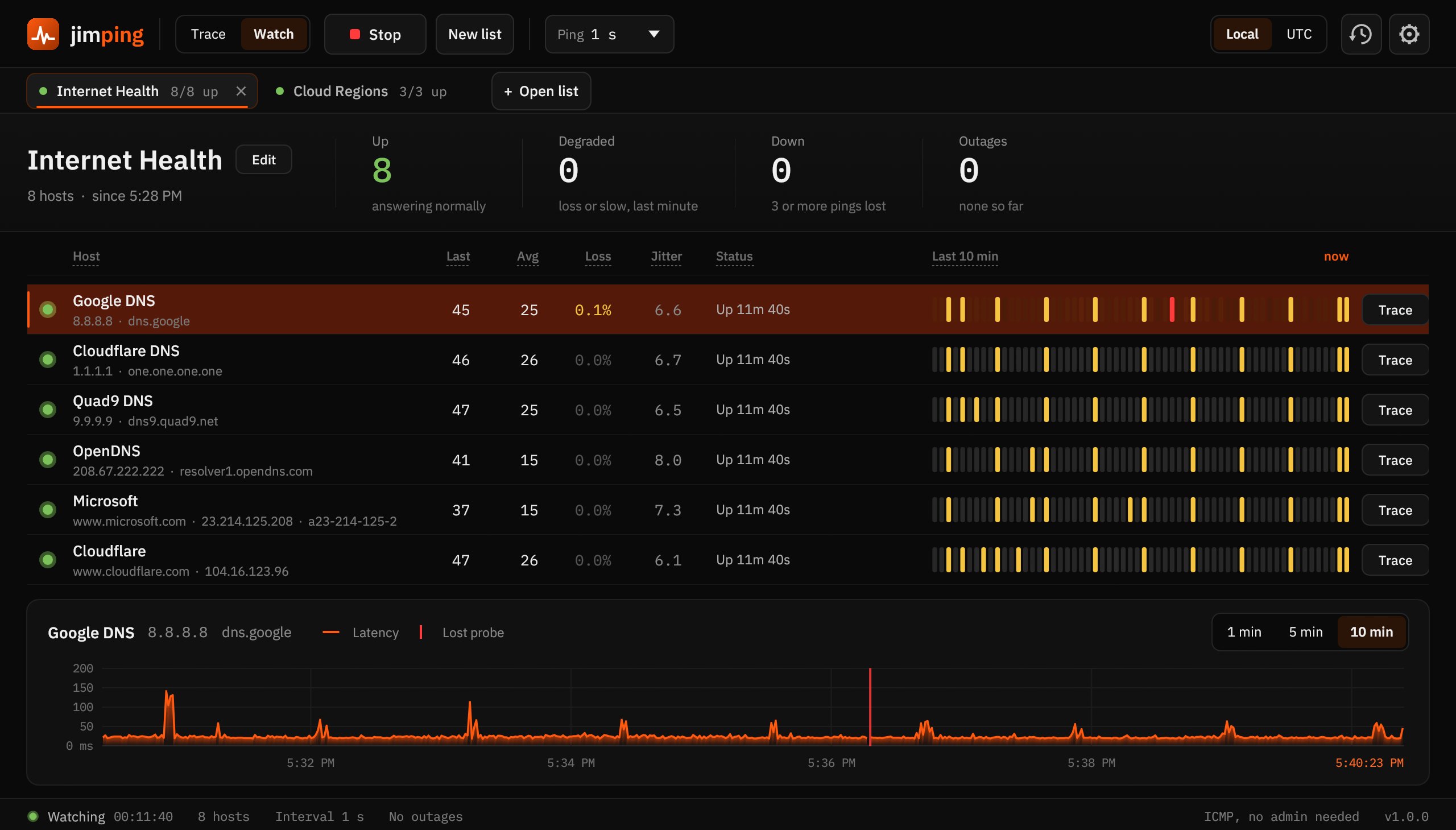
Paste a list of IPs or host names, save it, and ping them all. Up, degraded and down at a glance. Free watches one list of 5 hosts.
Play it back
Every probe is saved to CSV. Open any session later and replay it at up to 600 times speed, outages marked on the timeline.
Tabs for everything
Run several traces and several watch lists at once. Local or UTC time, chart windows from 1 to 10 minutes.
Free and Pro
The Free edition is the full traceroute with no time limit. Pro adds everything you need to monitor all day: more targets, alerts, saved history and reports. Every download starts with a 14 day Pro trial.
Free
For checking your own connection.
- Continuous traceroute to one target, no time limit
- Loss, latency and jitter for every hop
- Added latency that ignores routers only slow to answer
- Route change detection and route log
- One watch list of up to 5 hosts
- 10 minute live chart, Instrument and Signal views
Pro $19 until December 31
Lifetime license with a year of updates. Goes to $29 on January 1.
- Everything in Free
- Unlimited trace tabs and watch lists
- Sound and taskbar alerts for route changes and outages
- Every probe saved to disk, play back any session
- 1 hour and 24 hour charts
- Export to CSV, image and shareable reports
- New Pro features released during your update year
| Feature | Free | Pro |
|---|---|---|
| Continuous traceroute | 1 target | Unlimited tabs |
| Hop table, added latency, route log | Yes | Yes |
| Watch lists | 1 list, 5 hosts | Unlimited |
| Live chart window | 10 minutes | Up to 24 hours |
| Route change and outage alerts | No | Yes |
| History saved to disk and playback | No | Yes |
| Export CSV, image, report | No | Yes |
Does the license expire?
No. Your license never expires. The year of updates only decides which new versions you can install. The version you have at the end of the year keeps working with Pro forever.
What happens after the first year?
Nothing stops working. If you want the newer versions, an optional renewal adds another year of updates for about $15.
How does the trial work?
Every new install runs as Pro for 14 days. After that it becomes the Free edition unless you enter a license key. No account and no card needed.
Does it phone home?
No. A license key is checked once with the store when you enter it, then never again. Jimping sends nothing else about you anywhere.
How many PCs can I use one key on?
Two, for example a desktop and a laptop. You can move a key to another PC from Settings, License.
Refunds
Not happy with Pro? Email [email protected] within 14 days of purchase for a full refund.
Requirements
- Windows 10 or 11, 64 bit
- No admin rights: uses the Windows ICMP API
- The installer installs per user by default; the portable zip runs from any folder
- Settings live in
%APPDATA%\Jimping, history in%LOCALAPPDATA%\Jimping\History
Checksums
SHA-256 for this version. To check a download, run this in PowerShell from the folder it's in:Get-FileHash .\Jimping-setup.exe